 Image: Thurrott / OpenAI
 OpenAI Codex Can Now See and Click Windows Apps
OpenAI extended Codex's computer use feature to Windows on May 29, bringing the autonomous screen-control capability that launched on Mac in April to the platform that most developers actually work on.
OpenAI shipped version 26.527 of the Codex app on May 29, bringing computer use to Windows. The feature had been available on Mac since April. Windows accounts for roughly 65% of developer desktop market share, so the gap mattered.
Computer use lets Codex operate Windows applications directly: it takes a screenshot, decides what to click or type, executes that action, takes another screenshot, and repeats. No scripted macros, no automation hooks required. If an app can appear on screen, Codex can interact with it, including legacy enterprise tools and niche software that would never get an API.
What you can do with it
The main use cases OpenAI highlights: testing applications, debugging UI flows, and reviewing work in the environment where your project lives. You can direct Codex to a specific app using @computer for general desktop control or @AppName to target something specific.
One practical scenario: you’re shipping a feature that involves a desktop GUI. Instead of writing test automation code for that interface, you can ask Codex to open the app, walk through the flow you built, and report what it finds. That works whether the app has an accessible automation layer or not.
The Windows implementation is foreground-only. Codex can’t quietly operate desktop apps in the background while you’re in the same session; you’d need to give it the screen. On Mac, background operation is possible. That’s a meaningful difference if you want to run a long Codex task while continuing to work.
Mobile remote control, now for Windows too
The same update extended mobile remote control to Windows users. OpenAI added Codex to the ChatGPT mobile app in mid-May, but that feature only connected to Mac sessions. Now, Windows developers can start a Codex task on their PC, step away from the desk, and monitor or steer the session from an iPhone or Android phone.
The setup is the same QR code pairing process as the Mac version. From the phone, you can see screenshots, review outputs, approve tool calls, and kick off new tasks.
The update also added a Profile section to the Codex app showing lifetime token usage stats and per-session activity history. A few early adopters shared their profile screens on social media showing tens of billions of tokens processed.
Availability
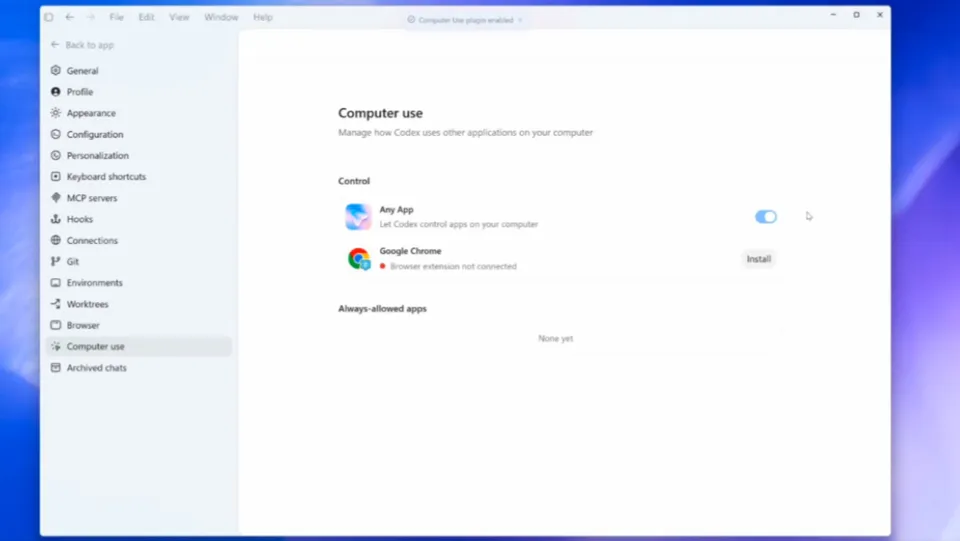
The updated Codex app is available through the Microsoft Store. The feature requires a ChatGPT Plus, Pro, or Enterprise subscription. You’ll also need to enable computer use manually in Codex settings, and grant the app screen recording and accessibility permissions on Windows.
Version 26.527 shipped alongside CLI 0.135.0 the same week, which added a codex doctor diagnostic command, Vim text-object editing, and named permission profiles.
Sources: Thurrott, Neowin, OpenAI Codex Changelog