 GitHub / github.blog/changelog
 GitHub Copilot Adds Memory Deletion Controls and Per-Organization Model Rules
GitHub published two Copilot changelog entries on May 26: Copilot Memory gets better deletion guidance, a repository-level off switch, and CLI commands, while enterprise admins gain targeted model rules that let them pick which models each organization can access.
GitHub dropped two Copilot changelog entries on May 26. One tightens up Copilot Memory with better deletion controls and a new CLI interface. The other gives enterprise owners a way to assign specific Copilot models to specific organizations instead of applying one setting across the whole enterprise.
Both features are in public preview.
Copilot Memory Gets Better Controls
Copilot Memory can accumulate facts about your preferences and your repositories. Until now, managing what it remembered was awkward. That’s improved in a few ways.
Deletion guidance: When you ask Copilot to forget something, it now points you to the right place to remove the memory rather than leaving you to hunt through settings. It also down-votes the relevant memory where voting is available.
Repository-level off switch: Repository admins can disable Copilot Memory for a repository entirely from Settings > Copilot > Memory. Once disabled, the repository stops storing or reading facts. Existing facts aren’t deleted, but they’re no longer used. User-level preferences are unaffected.
CLI commands: Three new /memory commands work in the Copilot CLI:
/memory onenables Copilot Memory for the session/memory offdisables it/memory showdisplays the current status
The preference persists across sessions, so you don’t have to set it each time.
The update also clarifies the scope distinction more explicitly. The store_memory permission prompt now distinguishes between user-level preferences (personal, visible only to you) and repository-level facts (visible to all contributors on the repo).
Targeted Model Rules for Enterprises
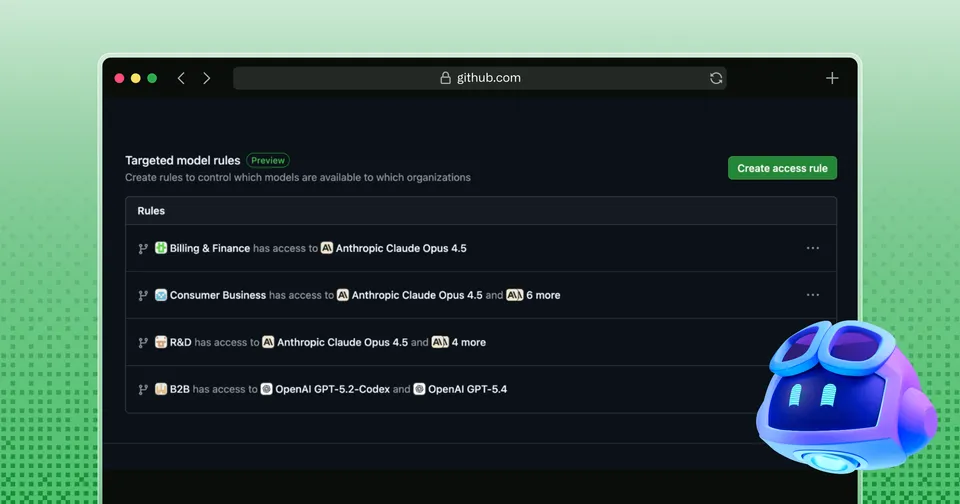
Targeted model rules let enterprise Copilot admins go beyond a single enterprise-wide model setting. Admins can now create rules that allow specific Copilot models for specific organizations.
The flow: from the enterprise Copilot settings, you can set a model to “Enabled” (automatically on for all organizations) or “Optional” (organizations can choose whether to turn it on). Then targeted rules let you override those defaults for individual organizations.
So an enterprise that wants most teams on one model but wants its security team using a different one can do that without giving either group access to everything.
The feature targets Copilot Business and Copilot Enterprise customers. The old experience, which managed model availability through a single enterprise-wide setting, is still there but the interface has been refreshed to show the full picture alongside the new per-org rules.
Sources: Copilot Memory controls — GitHub Changelog, May 26, 2026; Targeted model rules — GitHub Changelog, May 26, 2026