 Tugdual Grall / tgrall.github.io
 GitHub Copilot CLI 1.0.51: Session IDs, a /security-review Command, and Secret Scanning in Commits
Version 1.0.51 of the GitHub Copilot CLI adds session resumption with a --session-id flag, an experimental /security-review command for scanning code changes, and extended secret scanning into commit messages and PR descriptions.
GitHub shipped Copilot CLI v1.0.51 on May 20. The release adds session resumption by ID, an experimental security review command, extended secret scanning, and a customizable status line in the terminal footer.
Session resumption with —session-id
You can now pass --session-id=<id> when launching the CLI to resume a known session or task. You can also use it to start a new session with a specific UUID, which is useful if you’re scripting agent handoffs or want a predictable session ID to reference later.
This pairs with the /remote commands, which already let you hand off sessions to other devices or machines. The session ID flag gives you an explicit handle for that rather than relying on the CLI to pick one for you.
/security-review (experimental)
A new /security-review slash command lets you scan code changes for security vulnerabilities without leaving the terminal. It’s tagged experimental, which means the scope and output format may change, but the basic behavior is reviewing a diff or set of changes and flagging issues.
GitHub Copilot added a similar security review capability to pull requests earlier this month. This extends it into the CLI workflow, so you can run it before committing rather than after opening a PR. Given that the VS Code supply chain attack this week specifically targeted developer credentials stored in configuration files, having a scan step that checks for accidentally committed secrets fits the moment.
Secret scanning extended
Secret scanning in this release now covers commit messages and PR descriptions, not just code files. That’s a meaningful gap to close — developers sometimes paste API keys or tokens into commit messages during debugging and forget to remove them before pushing.
The CLI also shows clearer login warnings about token storage security and has corrected how it formats token usage to properly distinguish cached tokens from fresh ones.
Status line customization
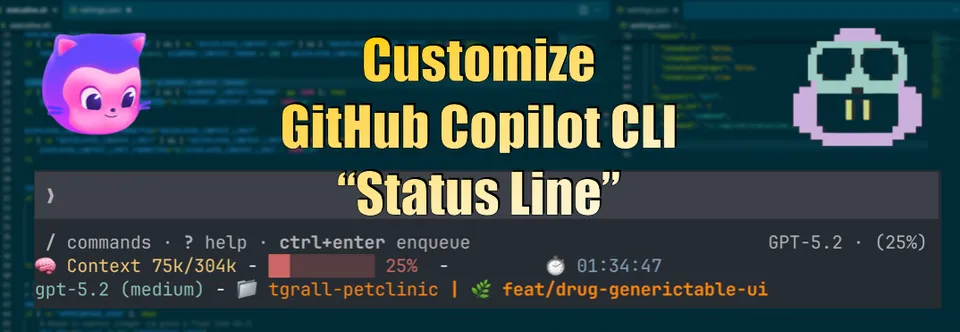
The terminal footer status line is now configurable. By default it shows the current model, context window usage, and git branch. You can rearrange or customize what appears there.
This was available earlier as a power user configuration, but it’s now a first-class feature in the release. A few community gists have been circulating with Oh My Posh configurations and custom formats — those still work, and the official configuration surface is now more accessible.
Other changes
Additional updates in 1.0.51:
- Faster MCP tool loading at startup for users with many HTTP-based MCP servers
/chronicle cost-tipssubcommand that gives personalized token usage and cost reduction recommendations based on your session history/remotecommands now respect org-level remote control policies and show a clear error when disabled- Settings file no longer accumulates stale config keys when settings are updated
- Better markdown rendering for GFM tables and blockquotes in the output
Sources: GitHub Copilot CLI releases